PPSSPP - PSP emulator
Henrik Rydgård
Preview
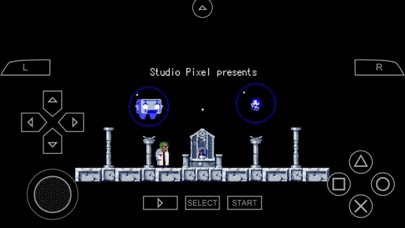
Overview
Core Features
- Supports high-quality PSP games with accurate graphics and sound, enhancing your app experience on mobile devices.
- Offers customizable controls and button mapping, making gameplay more intuitive and user-friendly.
- Includes save states and load states, allowing you to pick up where you left off without hassle.
- Provides options for graphics enhancement such as texture scaling and shaders for an improved app features set.
- Supports multiplayer over Wi-Fi, enabling real-time game sessions with friends on your Android app.
- Allows gamepad compatibility, offering an authentic gaming experience on your device.
Who This App Is For
This mobile app is ideal for gaming enthusiasts of all ages who enjoy classic PSP titles and want a portable gaming experience. It caters to users seeking reliable emulator solutions for their Android devices.
Whether you're a casual gamer or a dedicated retro fan, this app-based solution offers a seamless way to relive your favorite titles anytime. It's perfect for those looking for an enjoyable app experience with smooth performance and flexible settings.
Why Choose This App
This Android app stands out by delivering a proven and trusted PSP emulator, ensuring high compatibility and stability. Its rich app features provide an immersive gaming experience that closely mimics the original handheld console.
Choosing this app offers a reliable app experience, supported by a comprehensive set of features that solve common emulator frustrations. Its user-friendly interface and robust performance make it a top choice for gaming on mobile devices, setting it apart from other options.
Features
Enhanced Visuals with HD Graphics for Immersive Gameplay
Simple Setup and Custom Controls for Ease of Use
Seamless Compatibility with Various Game Files for Flexibility
High Performance for Smooth Gaming Experiences
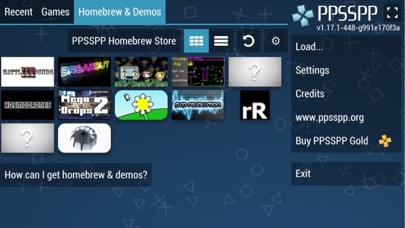
Support for Personal Game Collection and Homebrew Titles
Community Resources and Regular Updates for Reliability
Optimized Graphics Settings for Customizable Visuals
Versatile Control Options for Personalized Gaming Experience
More Information
PPSSPP - PSP emulator is a popular mobile app that allows gamers to enjoy PlayStation Portable games on their smartphones. As an Android app designed to deliver a smooth and authentic app experience, it features advanced emulation capabilities, customizable controls, and high-quality graphics. This app-based solution provides gamers with a reliable and versatile way to access their favorite titles anywhere they go.
👍 Pros
- High CompatibilityPPSSPP can run a wide range of PSP games with good compatibility, including titles like God of War and Persona.
- Enhanced Graphics OptionsUsers can improve game visuals with features like upscaling and texture filtering for a better experience.
- Cross-Platform SupportThe emulator is available on Windows, Android, macOS, and Linux, providing flexible gaming options.
- User-Friendly InterfaceThe app offers an intuitive interface that makes game setup and customization straightforward.
- Active Community and Regular UpdatesContinuous improvements and community support help address bugs and enhance performance.
👎 Cons
- Performance VariabilitySome games may experience lag or inconsistent FPS depending on device hardware; tuning settings can mitigate this.
- Limited Save State FlexibilitySave state functionality might occasionally cause crashes or not work perfectly for all titles; restarting the app can help.
- Audio Glitches in Certain GamesRarely, some titles might have audio sync issues; updating to the latest version or adjusting sound settings can reduce this.
- Control Customization RestrictionsWhile customizable, certain control mappings may not be perfect for all games, but future updates aim to improve this.
- Initial Configuration ComplexityNew users might find initial setup and configuration slightly complex; referring to online guides can ease this process.
Download PPSSPP - PSP emulator
You are going to be redirected to the official website to finish the download when you click these buttons above.