AR Drawing: Trace & Sketch
NimbusApps
Preview


Overview
Core Features
- The app features an easy-to-use drawing and sketching interface suitable for all skill levels.
- Real-time trace and sketch tools help users reproduce images accurately with minimal effort.
- Supports offline mode, allowing users to create and edit sketches without internet connectivity.
- Includes various brush options and colors to enhance creativity and customization.
- Intuitive undo and redo functions make editing straightforward and hassle-free.
- Built-in sharing options enable quick export of artwork to social media or messaging apps.
- The app offers a clean launcher app that simplifies access alongside other tools on Android devices.
Who This App Is For
This mobile app is perfect for students, artists, or hobbyists interested in digital sketching and drawing. Its user-friendly design appeals to beginners and casual users seeking a simple app experience.
Professional designers and creative learners can also benefit from this app-based solution for quick sketches, practice, or conceptual work on their Android devices anytime, anywhere.
Why Choose This App
This app provides a seamless app experience with powerful core features for digital sketching. Its offline mode and intuitive tools stand out among other Android apps, making it a reliable choice for diverse users.
Designed as an accountable app-based solution, it ensures users can create high-quality sketches easily, solving common frustrations with more complicated drawing apps and offering a clear edge over competitors.
Features
1. Simple AR Drawing Practice for All Skill Levels
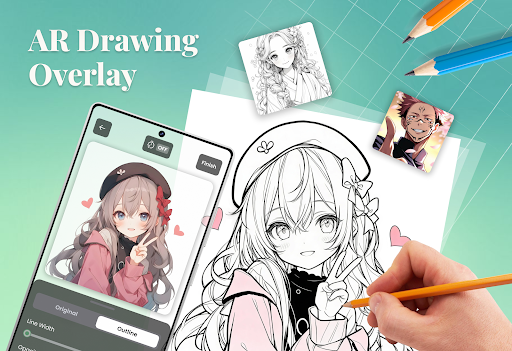
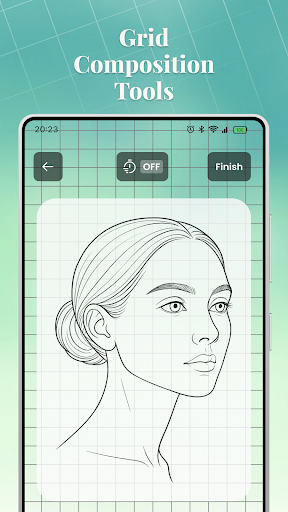
2. Customized Overlay Adjustments for Precise Guidance
3. Real-Time Image Capture and Outline Generation
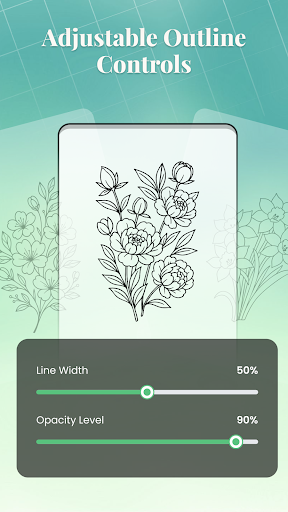
4. Adjustable Transparency and Line Thickness Settings
5. Focused Practice with Themed Guided Lessons
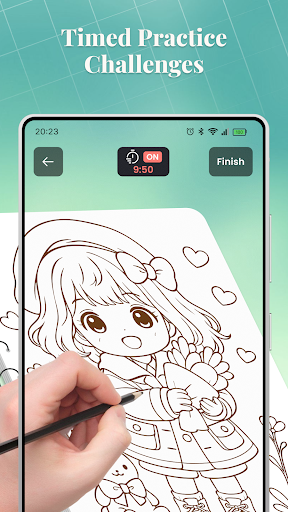
6. Interactive Drawing Challenges for Consistent Improvement
7. Cropping Tools for Focused Reference Sections
8. User-Friendly Dashboard for Quick Access and Progress Tracking
More Information
AR Trace Sketch is a versatile mobile app designed for artists and creative enthusiasts who want to bring their ideas to life through drawing and sketching. This Android app offers an intuitive interface and a range of features that make it easy to trace, sketch, and enhance images directly on your device, providing an engaging app experience for both beginners and experienced users alike. As an innovative app-based solution, it helps users develop their artistic skills effortlessly using their smartphones or tablets.
👍 Pros
- Intuitive AR tracing interfaceUsers can easily start tracing sketches in augmented reality without a steep learning curve.
- High accuracy in AR mesh detectionThe app accurately captures real-world surfaces, aiding precise sketch placement.
- Real-time feedback enhances user experienceImmediate visual cues help in refining sketches during the tracing process.
- Support for diverse drawing toolsMultiple brush options and colors allow creative flexibility.
- Easy sharing and exporting optionsUsers can quickly save and share their sketches in common formats.
👎 Cons
- Limited object recognition capabilitiesThe app sometimes struggles to automatically detect complex surfaces, requiring manual adjustments.
- Battery consumption is relatively highProlonged use can drain device power quickly; recommending regular breaks or power sources.
- Occasional lag in AR renderingSome devices may experience delays, but updating the app or device firmware could improve performance.
- Limited compatibility with older devicesRequires recent hardware specifications; users may need device upgrades for optimal use.
- Basic tutorial might be insufficient for new usersOfficial tutorials or in-app guides could be enhanced for better onboarding, which is expected in future updates.
Download AR Drawing: Trace & Sketch
You are going to be redirected to the official website to finish the download when you click these buttons above.







