
Camera Remote Watch
AppMosaic
Preview
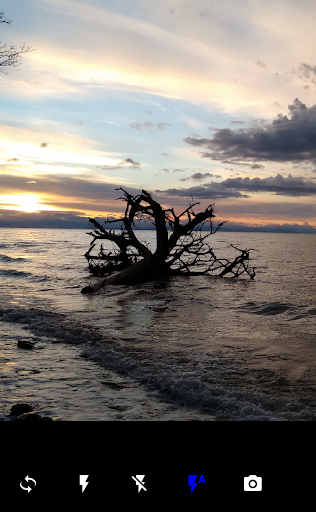
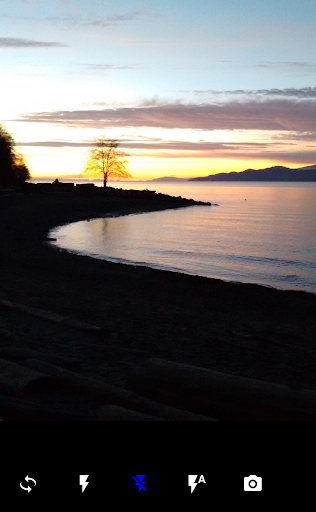
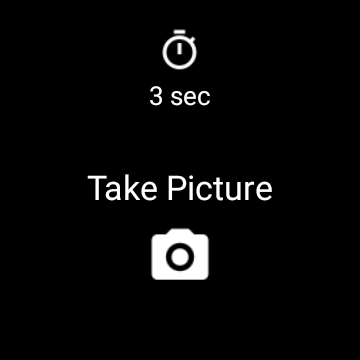
Overview
Core Features
- The app features a remote camera control system that allows users to start, stop, and adjust camera settings directly from their mobile device, enhancing convenience.
- Real-time image preview enables seamless monitoring of shots remotely, making it ideal for professional photography sessions or social events.
- Supports multiple device connections simultaneously, allowing users to manage different cameras within the same app experience.
- Includes customizable shutter controls and timer settings, providing flexible options for various photography needs.
- Offers an intuitive interface that simplifies camera management, making it accessible even for beginners as a launcher app for photography enthusiasts.
- Automatic file transfer capabilities ensure that captured images are quickly saved and organized on your device.
- Provides secure connections with encrypted data transfer, building trust and credibility for users concerned with privacy.
Who This App Is For
This mobile app is perfect for amateur and professional photographers, hobbyists, and anyone interested in remotely controlling their cameras via Android devices. It appeals especially to users seeking an easy-to-use app-based solution for photography.
Whether you're capturing wildlife, creating content, or want to set up a camera for a special event, this app helps you manage your camera settings remotely, saving time and effort in the photography process.
Why Choose This App
This Android app offers reliable performance with user-friendly app features designed for a smooth app experience. Its comprehensive remote control capabilities stand out among similar launcher apps for photography.
It solves common problems like limited camera control and poor connectivity, providing a trusted app-based solution that enhances your photography workflow and ensures you can capture moments effortlessly and efficiently.
Features
1. Easy remote camera control for spontaneous photography
2. Seamless connection for quick setup and use
3. Remotely capture photos with smartwatch button press
4. Preview images instantly on wrist for composition checks
5. Switch between front and rear cameras effortlessly
6. Use timer for staged photo capture sessions
7. Zoom in and out for creative framing options
8. Capture discreet shots in social environments
More Information
Camera Remote Watch is a user-friendly mobile app that transforms your smartwatch into a remote control for your smartphone camera. Designed primarily for photography enthusiasts, this Android app offers seamless app features that allow you to capture photos effortlessly from a distance. With an intuitive interface and reliable app experience, it provides an efficient app based solution for remote photography using your device and watch.
👍 Pros
- Intuitive Remote Control InterfaceThe app offers a user-friendly layout that simplifies camera management, even for beginners.
- Wide Compatibility with CamerasIt supports numerous camera models, allowing versatility across different devices.
- Real-Time Remote PreviewProvides live viewing, enabling precise framing and adjustments before capturing images.
- Customizable Shooting SettingsAllows users to fine-tune parameters like ISO, shutter speed, and focus remotely.
- Wireless Connectivity StabilityMaintains a reliable connection via Wi-Fi or Bluetooth during typical use, reducing disconnects.
👎 Cons
- Limited Device Support for Older CamerasSome older camera models are not compatible, which may restrict users' options. (Temporary solutions include future updates or using compatible models.)
- Slightly Laggy Live PreviewThe real-time view sometimes has a short delay, affecting quick shots. The official fix is expected in upcoming updates.
- Battery Drain on SmartphoneExtended use can significantly reduce phone battery life. Users can mitigate by closing other apps during shooting sessions.
- Occasional Connectivity DropsWireless connection may disconnect intermittently in crowded Wi-Fi environments. Reconnecting usually resolves this issue.
- Limited Editing Options within the AppPost-processing features are basic; for advanced editing, users must export images to other software. Future updates aim to improve editing tools.
Download Camera Remote Watch
You are going to be redirected to the official website to finish the download when you click these buttons above.







