Phone to TV HDMI USB-C MHL
Appfairly LLC
Preview
Overview
Core Features
- Mirror your phone screen directly to a TV using an MHL adapter for HDMI output.
- Supports USB-C connections, making it easy to connect newer Android phones to big screens.
- No extra software needed on the TV side – just plug and play for instant screen sharing.
- Works with a wide range of devices, including older phones that still support MHL technology.
- Low latency ensures smooth video playback and responsive touch mirroring during presentations.
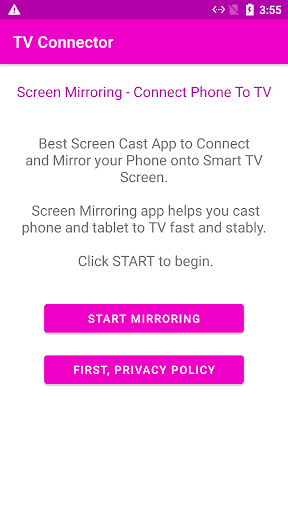
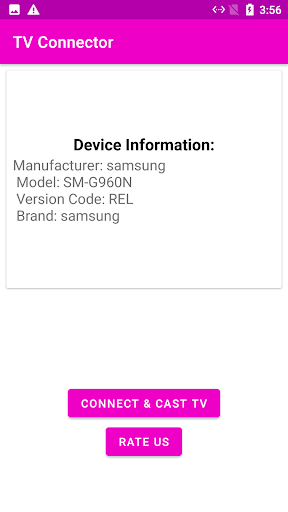
- Simple one-tap interface lets you start casting without fiddling with complex settings.
- The mobile app includes a built-in test to verify MHL compatibility on your device.
Who This App Is For
This Android app is perfect for users who frequently present slideshows or show photos and videos on a larger screen. It's also great for movie lovers and gamers who want to enjoy phone content on a TV without investing in a smart TV or streaming stick.
In a home setting, you can quickly cast a movie from your phone to the living room TV. In the office, it helps professionals share documents during meetings without needing additional conference equipment.
Why Choose This App
This app-based solution gives you a reliable, wired connection that eliminates Wi-Fi lag or signal drop issues common with wireless casting. You get a stable, high-definition mirroring experience that works every time.
Unlike other casting options, this app focuses on simplicity and broad device support. Its standout feature is the compatibility test built right in, so you know before you plug in whether your phone will work. The app experience is straightforward and designed for anyone, from tech novices to seasoned users.
Features
Instant compatibility checker for phones
Zero-lag wired mirroring experience
No WiFi needed for stable connection
One-tap MHL support verification
Step-by-step USB-C to HDMI guide
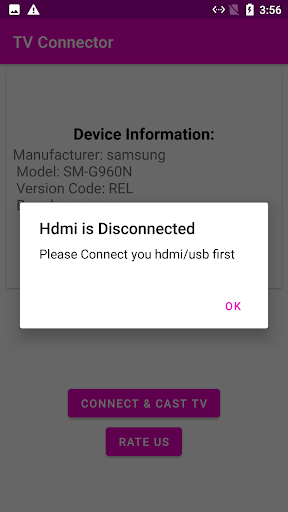
HDMI troubleshooting for common issues
Personalized cable and adapter recommendations
Seamless presentations and video calls
More Information
Phone to TV HDMI USB-C MHL is a practical mobile app that lets you connect your Android device to a television or monitor using supported cables. It serves as an app based solution for screen mirroring and media sharing, enhancing your app experience with simple controls.
👍 Pros
- Multi-connection flexibilitySupports USB-C, HDMI, and MHL, making it compatible with a wide range of TVs and devices.
- Low latency for mediaDelivers near-instant screen mirroring ideal for gaming and video streaming without noticeable lag.
- No extra hardware requiredWorks directly if your phone supports USB-C DisplayPort Alt Mode or MHL, saving you from buying dongles.
- Simple one-tap setupThe app's clean interface lets you connect to your TV with a single tap, no complex configuration needed.
- Broad Android device supportCompatible with most modern Android phones from Samsung, LG, and others that have MHL or USB-C video output.
👎 Cons
- Device incompatibility on older phonesMany older or budget devices lack MHL or USB-C video output, rendering the app unusable for them.
- Cable tether limits mobilityYou have to stay physically connected to your TV via a cable, which restricts how far you can move from the screen.
- Extra cost for adaptersMost phones need a dedicated MHL adapter or USB-C to HDMI cable (around $10–$30) to work, adding to the overall expense.
- DRM blocks streaming appsServices like Netflix or Disney+ often block mirroring due to copyright protection, so you get a black screen or error.
- Occasional sync and stability issuesSome users report audio lag or random disconnections during extended sessions, especially with third-party cables.
Download Phone to TV HDMI USB-C MHL
You are going to be redirected to the official website to finish the download when you click these buttons above.